RISK ASSESSMENT WITH BOWTIE
Back to Blog

The Bowtie model is a diagram that visualises the connection between the cause and consequence of unwanted events. And not least, it shows how many different causes and consequences an event can have.
Above, we see an example of a bowtie diagram. The traditional Bowtie analysis consists of an adverse event (in the middle) combined with possible causes and consequences of said event. The safeguards in the Bowtie analysis are in place to reduce the cause (probability) or the outcome (consequence).
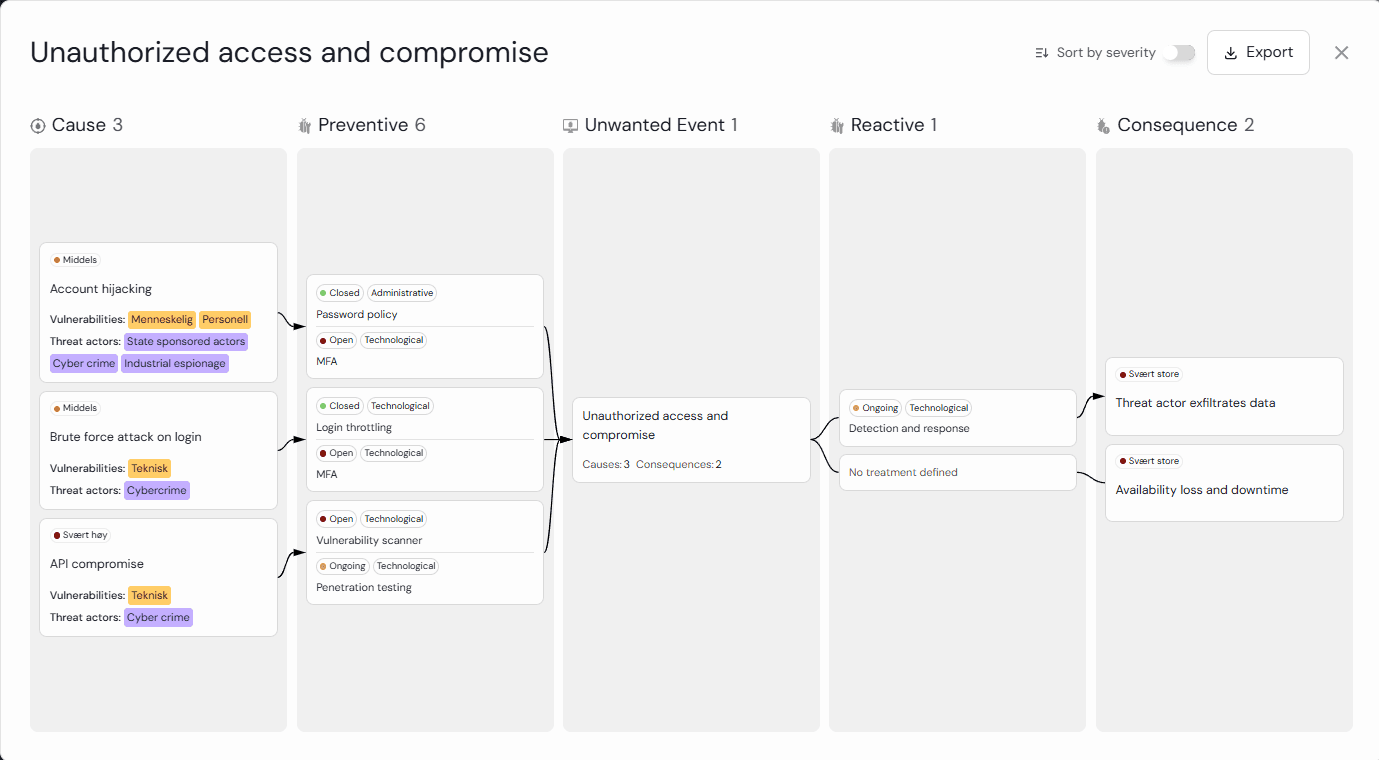
Example of a simplified bowtie model to visualise Unauthorized access and compromise.
Bowtie in Diri
The Bowtie model is innovatively used in risk management our platform. You can create many Bowtie diagrams per risk assessment, reuse the treatments, extract individual risks, and work on individual causes/consequences. You can also do a cost/benefit analysis made possible by our Bowtie method. The risks from the Bowtie method are extracted, placed in the risk matrix and entered into a joint risk register.
In the Diri risk analysis, you identify and assess the cyber risk. The purpose of the risk analysis is to identify unacceptable cyber risks so that you can implement risk-reducing measures.
Best practice in information security (ISO/IEC 27005) defines the risk scenario as a combination of assets, vulnerability, threats, controls and consequences. The risk analysis in Diri combines well-established risk scientific concepts and modern software functionality. We have developed an innovative and research-based method for cyber security risk management. In the tool, the components of the analysis can have many affiliations.
The risk assessment methods in Diri, combined with the flexibility of the Bowtie analysis, make the risk analysis in Diri state-of-the-art!
You can see the starting point for the risk assessment in the Diri tool in the first image below (screenshot from the software). Here you start by identifying unwanted events, then work your way through why this can happen and what consequences it can have.
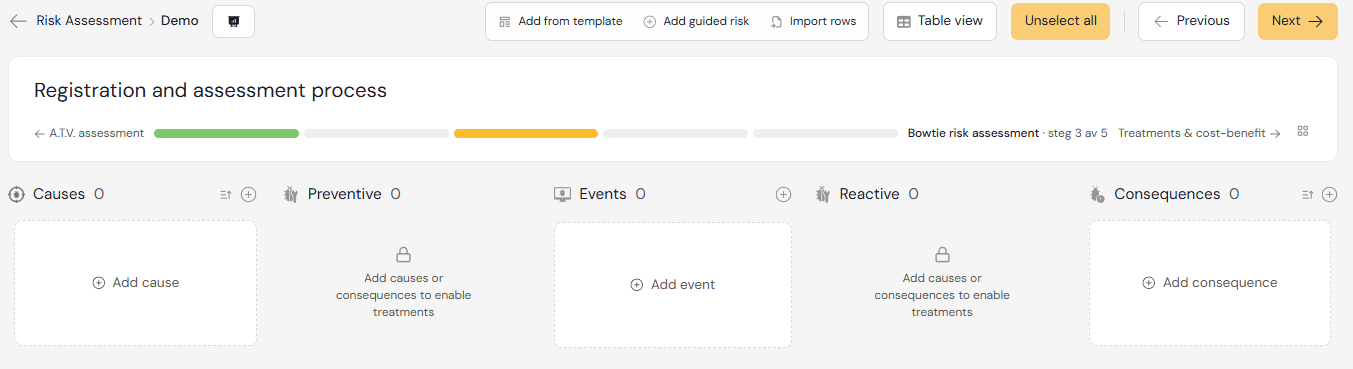
The starting point for the Risk Assessment. Your options are
Start from an empty assessment and build directly
Add from a pre-exsisting template for your risk assessment scope
Use the risk assessment wizard for crafting the first risk
Got exsisting risk assessments you want to import into a functioning risk management tool? Use the row importer, it provides you with how to easily convert exsisting risk assessments from Excel sheets or reports into functioning bowtie analysis.
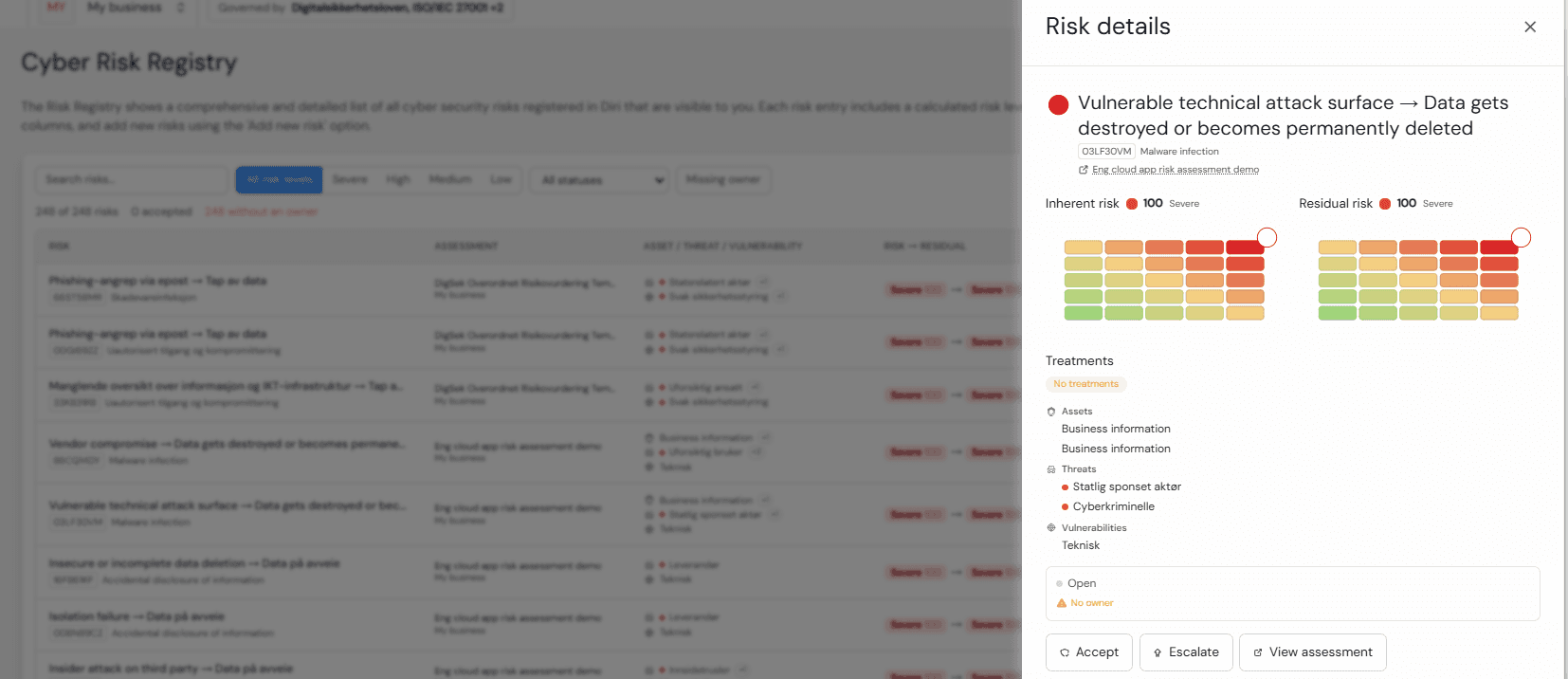
iri provides comprehensive and searchable risk, asset, and treatment registries.

The Risk Matrix and Cost-benefit analysis visualises your security controls for in-depth security analysis. The control matrix allows for drill-down and adds significant transparency to your security evaluation.
If you want to know more about the various components of Diri’s risk assessment, you will find information about it on our helpdesk. You can also read more about reusing components and linking many events to one cause and many consequences to one event.
Back to Blog